Version 3.8.0 · Updated September 7, 2026
Shotcut APK Download for Android
This Shotcut APK download gets you ShotCut AI 3.8.0, an all-in-one video editor with AI auto captions, AI AutoMusic, curved speed and trending templates. It is free to install on phones and tablets running Android 8.0 and up.
By APKShots Editorial Team (contact@apkshots.com). Details checked against the Google Play listing on September 13, 2026.
Shotcut APK Download Details
Every detail here comes from the official Google Play listing for AI Video Editor: ShotCut AI. The file size varies because Google Play delivers a build matched to your phone’s processor and screen.
Source: Google Play listing, checked September 13, 2026.
Shotcut Video Editor APK Features
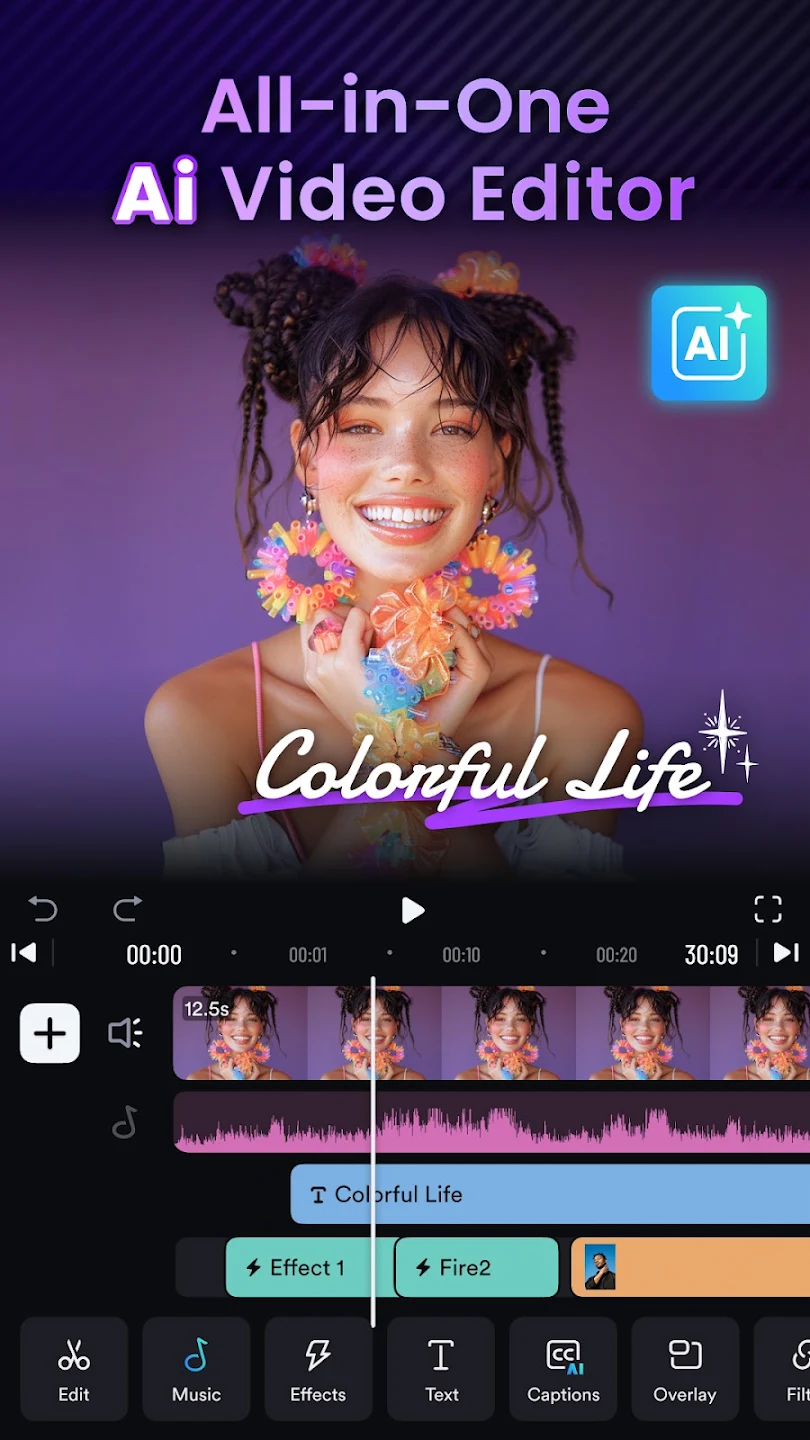
ShotCut AI pairs a multi-track timeline with AI tools that handle captions, music and on-screen text for you. The screenshots below come from the developer’s Google Play listing and show each feature inside the app.
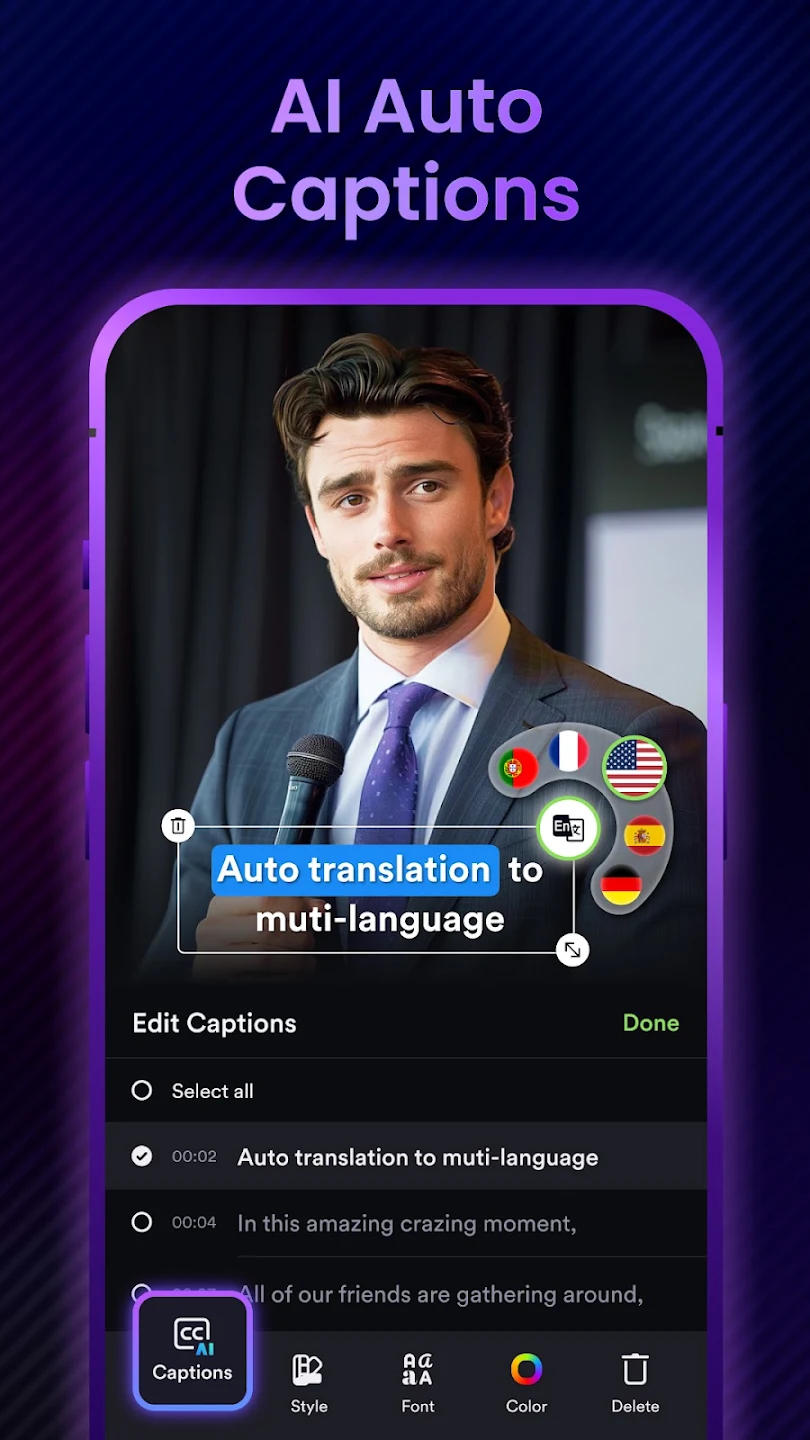
AI auto captions with translation
Tap Captions and ShotCut transcribes the speech in your clip, then splits it into timed lines you can edit one by one. It can also translate those captions into other languages, so a single video can reach viewers who speak English, Spanish, French, German or Portuguese.
- Each caption line keeps its own timestamp for quick fixes
- Style, font and color controls sit under the caption list
- Select all lines at once to restyle or delete them together
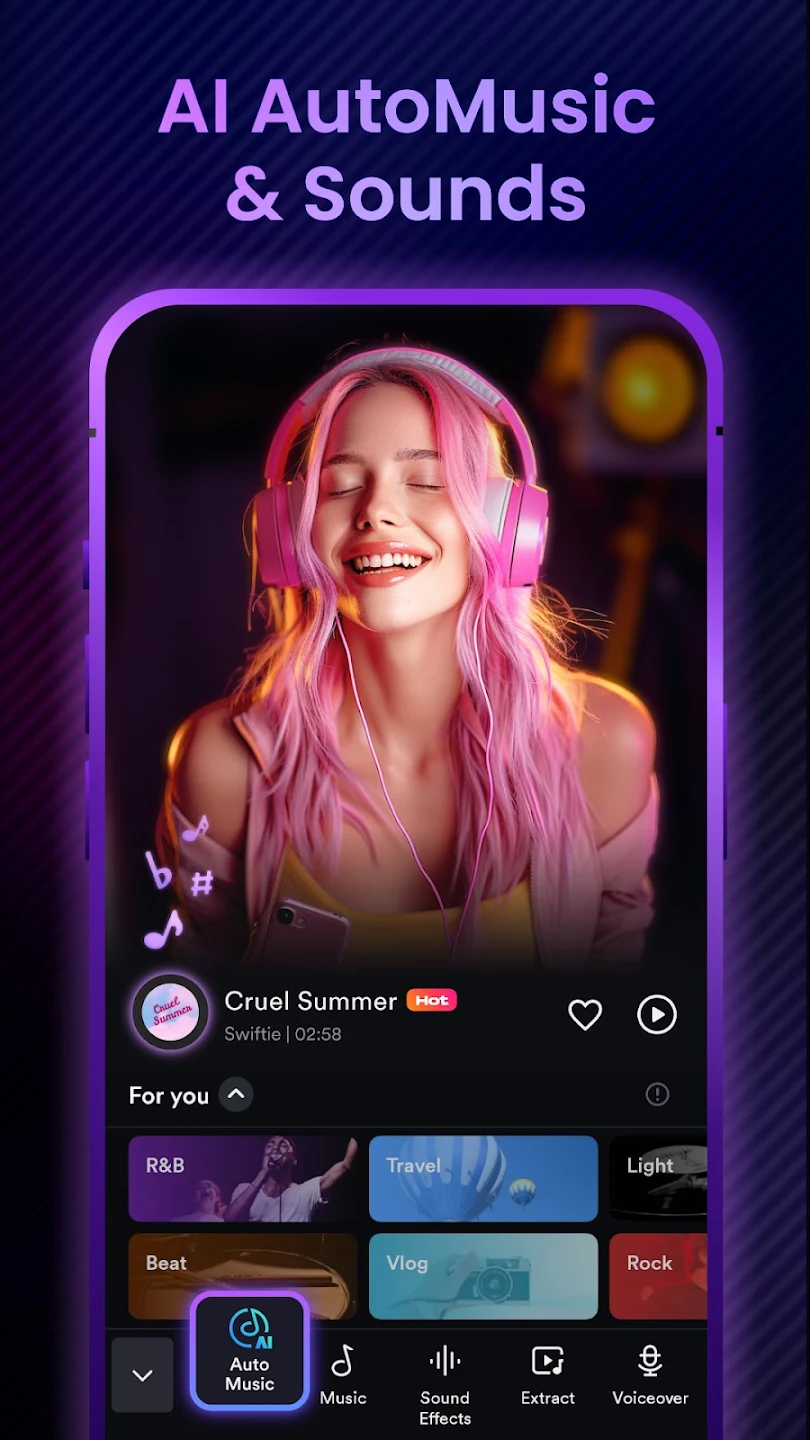
AI AutoMusic and sound effects
AutoMusic picks a soundtrack that fits the mood of your clip. A For You shelf groups tracks into genres such as R&B, travel, beat, vlog and rock.
The same audio menu adds sound effects, extracts audio from another video and records a voiceover.
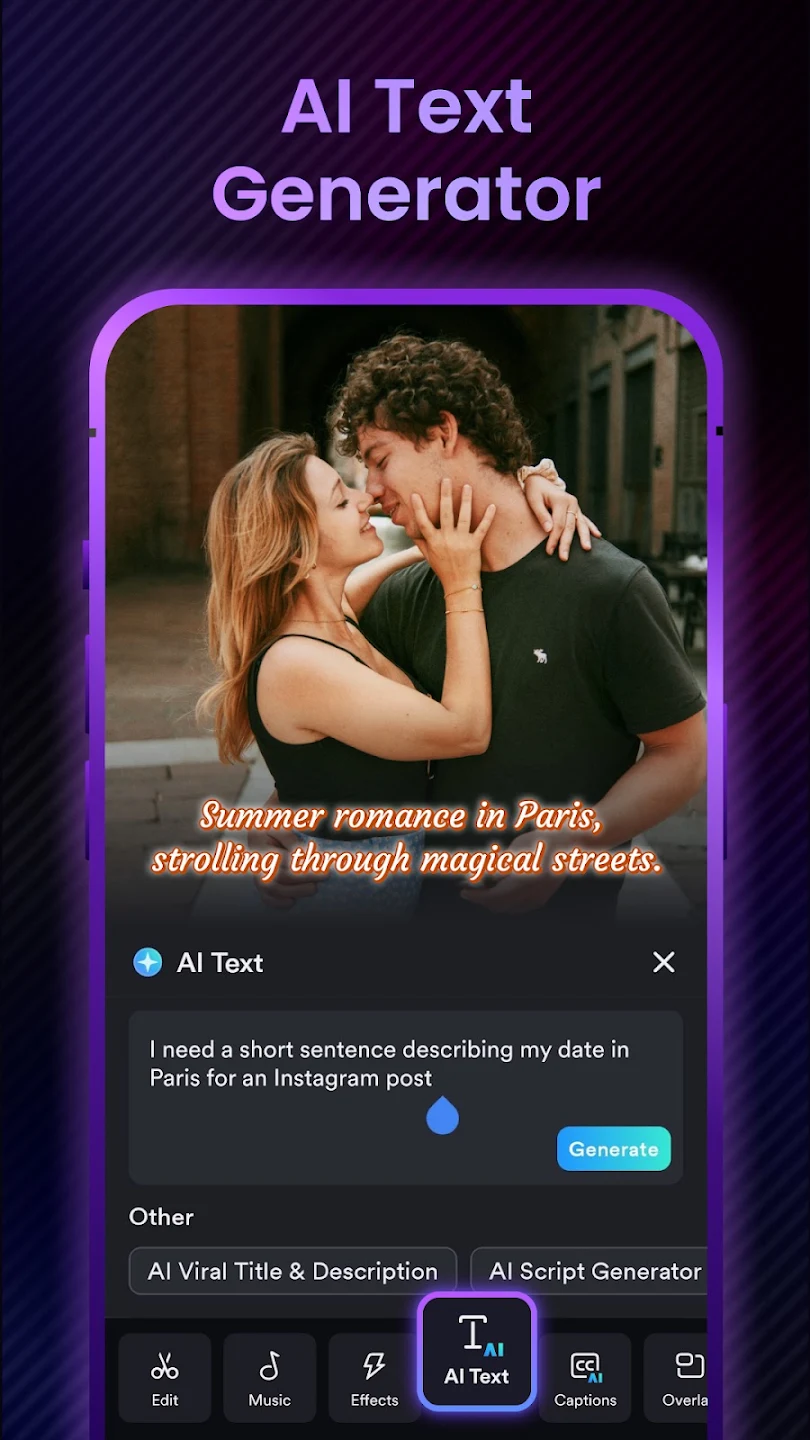
AI text generator
Describe what you need in one sentence and AI Text writes the on-screen line for you, ready to style and place.
Two extra modes go further: one writes a viral title and description for posting, the other drafts a full script for your next video.
Curved speed ramps
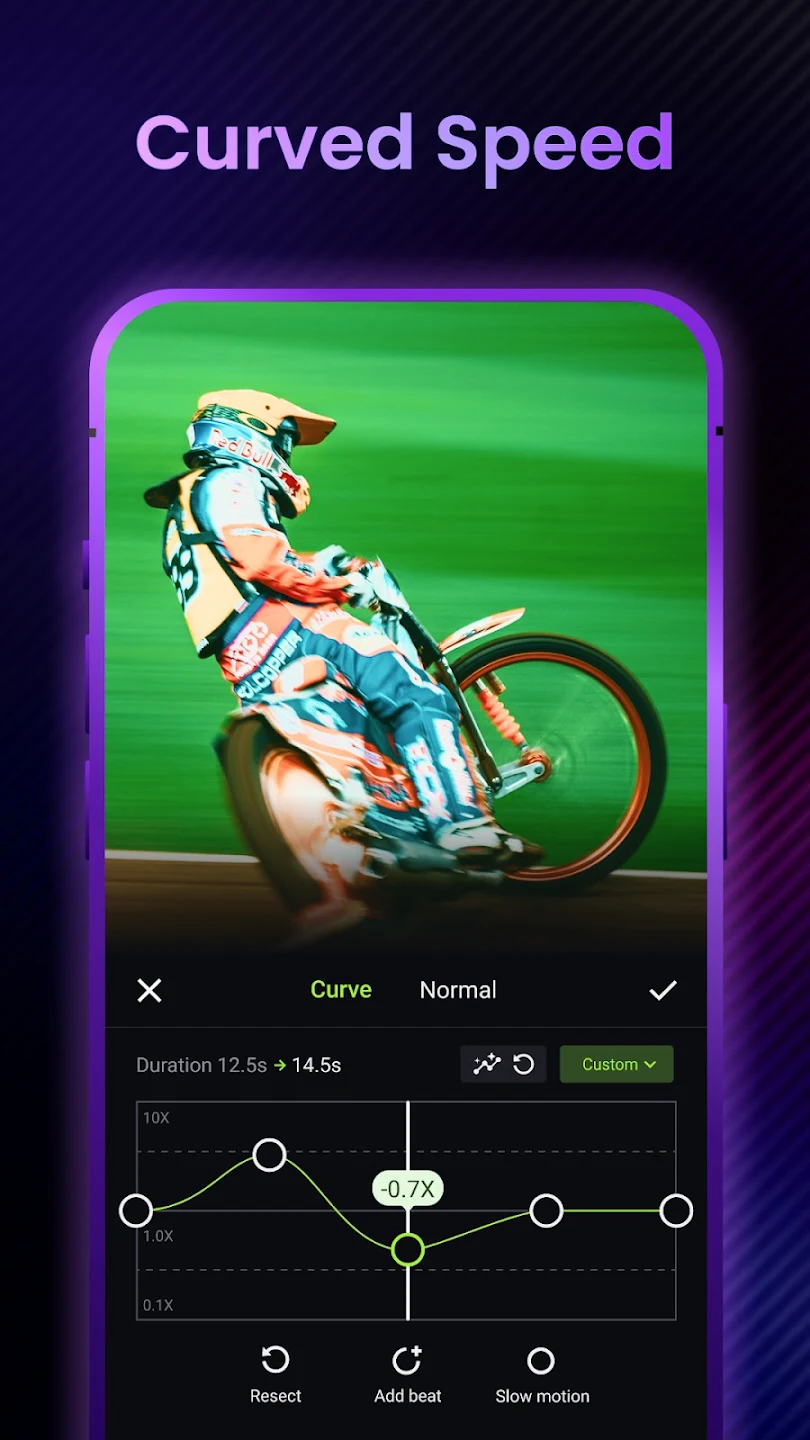
A fixed speed makes every second of a clip feel the same. Curved speed lets you drag points on a graph instead, so one shot can race up to 10x and ease down to 0.1x without cutting it apart.
- Add beat points to line speed changes up with the music
- The new clip duration updates while you shape the curve
- Switch to Normal mode for a simple constant speed, or reset the curve in one tap
Pro AI effects
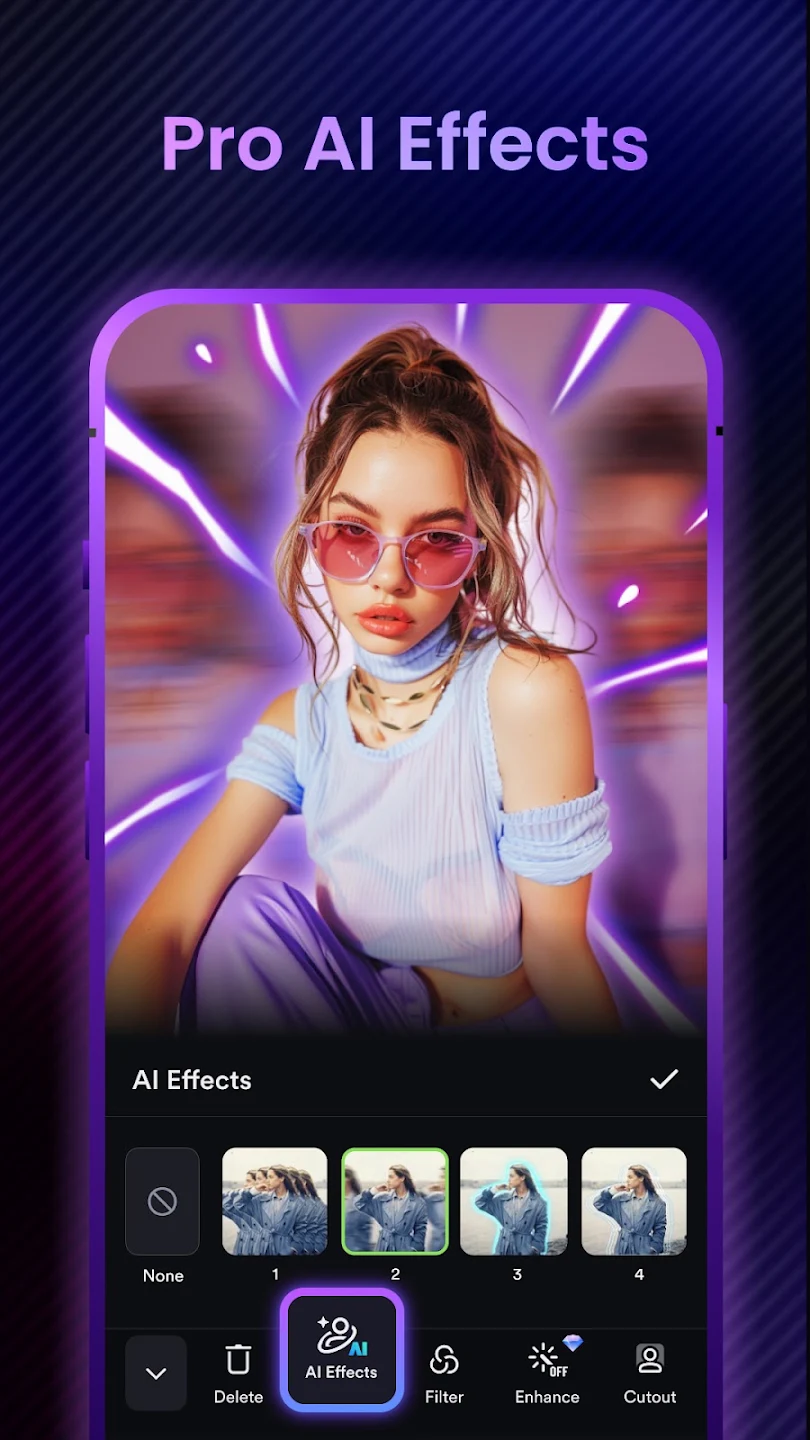
AI Effects adds motion trails, glowing outlines and echo copies around your subject with one tap.
The same panel holds filters, Cutout for removing the background and Enhance for sharper footage. Enhance carries the Pro badge in the app.
Text and stickers
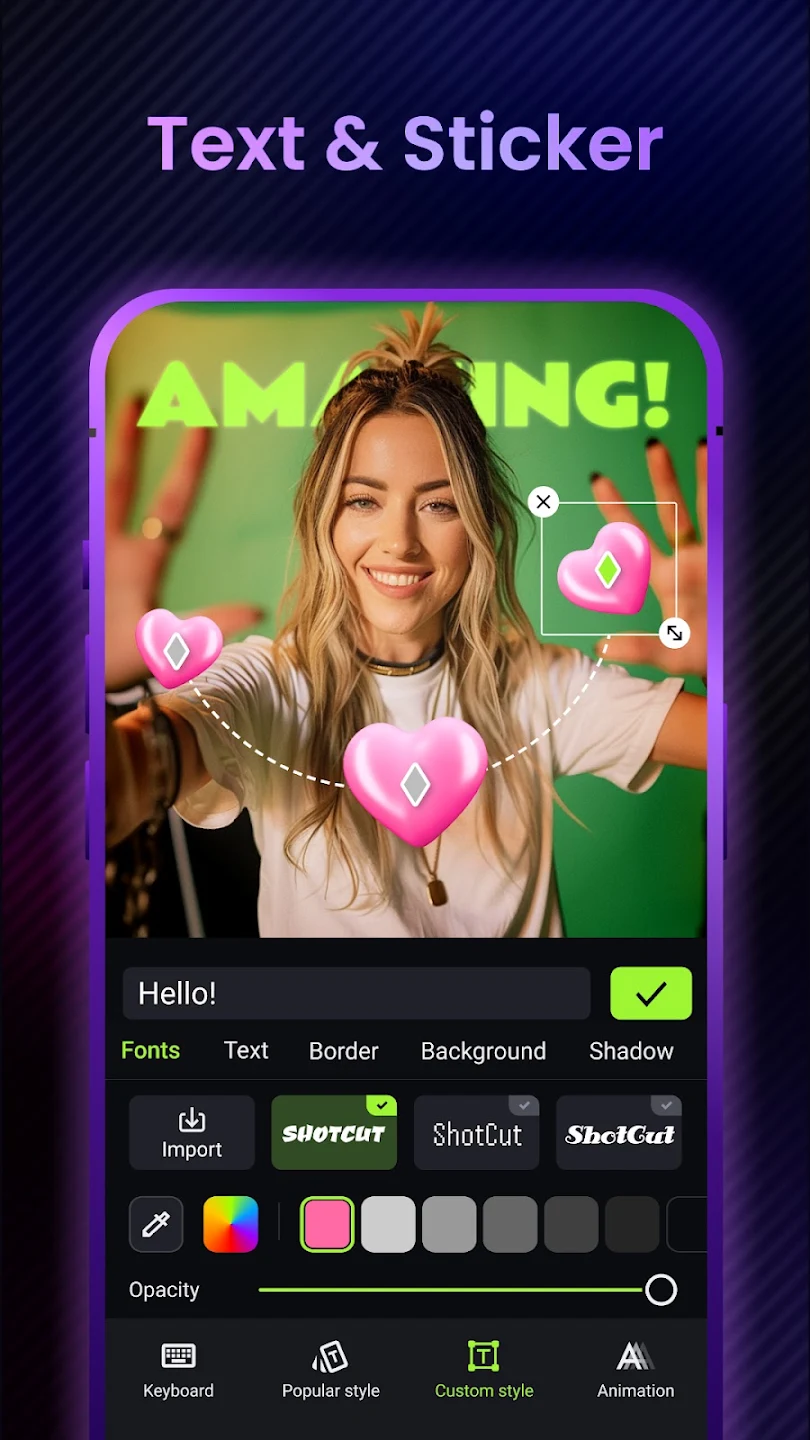
Type a title, then style it with fonts, borders, backgrounds and shadows, or import a font of your own.
Popular style presets and text animation are one tap away, and stickers can follow a motion path across the frame.
Trending templates
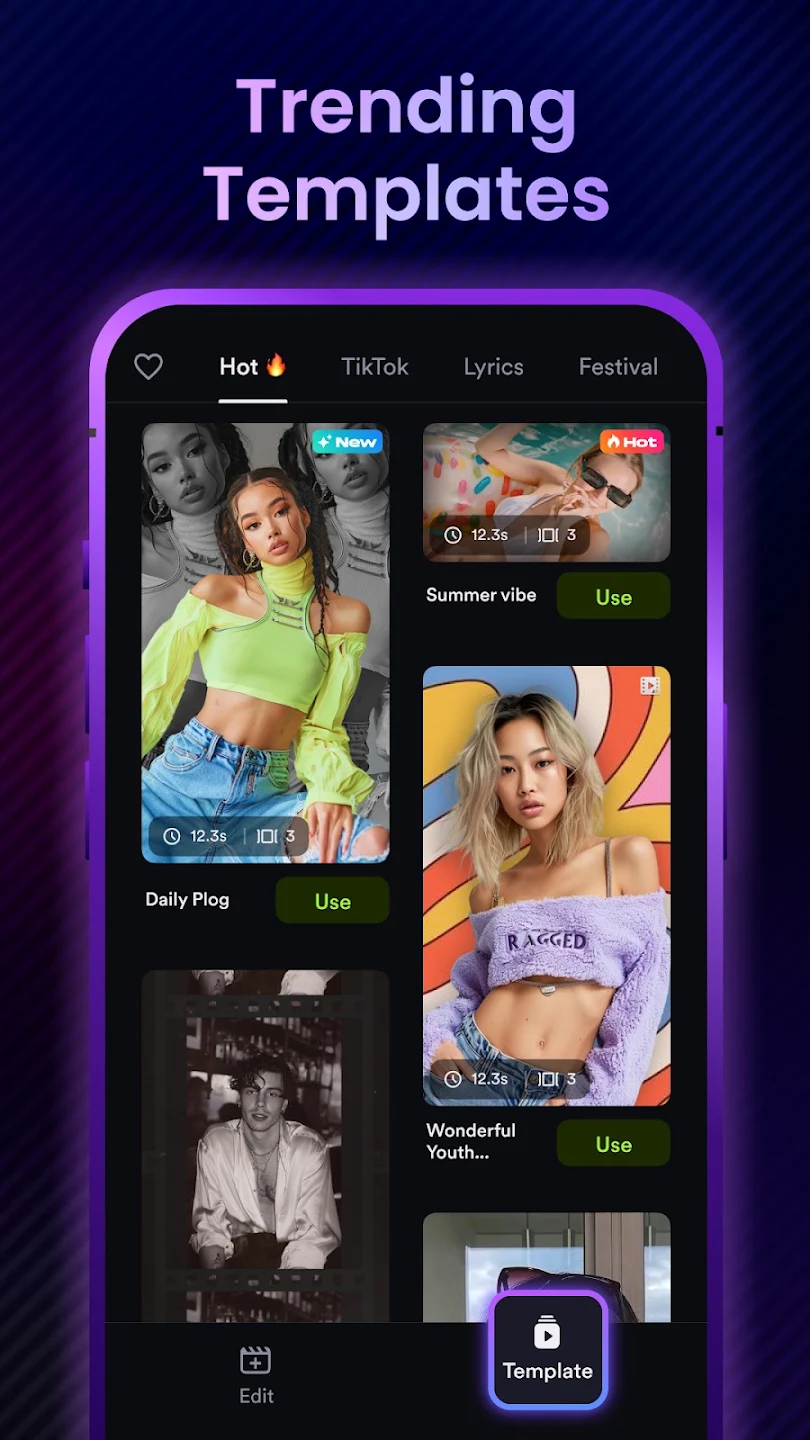
The Template tab lists ready-made edits sorted into Hot, TikTok, Lyrics and Festival. Each card shows the template length and how many clips it needs, so you know what to prepare before you tap Use.
Drop in your own photos or videos, and the template handles the cuts, transitions and music timing.
- New and Hot badges flag the templates people are using right now
- Save favorites with the heart icon to find them later
More Editing Tools in the Shotcut APK
Beyond the AI features, the main toolbar covers Edit, Music, Effects, Text, Captions, Overlay and Filters on a multi-track timeline.
Everyday editing
- Cut, trim and split long videos into clips
- Merge several clips into one video
- Crop to any aspect ratio for Reels, Shorts or YouTube
- Reverse a clip so it plays backwards
- Convert to HD video or extract the audio as MP3
Advanced tools
- Picture-in-picture overlays and stop motion
- Green screen (chroma key) and background removal
- Stabilizer for shaky phone footage
- Blur or pixelate faces and number plates
- Filters and transitions for Reels and TikTok
Shotcut Pro APK: What Changes When You Upgrade
Most searches for a Shotcut Pro APK come from people who want the watermark gone. There is no separate Pro file to download. You install the same free app, then unlock Pro inside it with an in-app purchase linked to your Google account.
| Free version | Pro | |
|---|---|---|
| Price | Free to install | In-app purchases from $0.99 to $119.99 per item on Google Play |
| Core editing and AI tools | Included, with a free trial for AI captions | Included |
| Enhance | Marked with the Pro badge | Unlocked |
| Watermark | Added on export, removable by watching an ad | Removed from exports |
| Ads | Shown in the app | Reduced or removed, depending on the plan |
Plan names and prices change often and differ by country, so open the Pro screen in ShotCut to see the current offer. If you reinstall, sign in with the same Google account to restore a purchase instead of paying twice.
Shotcut Mod APK: Read This Before You Install One
Plenty of sites promise a Shotcut mod APK with premium unlocked, no watermark or unlimited credits. Those files are the official app with its code changed by an unknown third party, and APKShots does not host or link to them.
- Repackaged APKs are a common way to slip adware or spyware onto a phone, and Google Play Protect often flags them.
- AI captions, AutoMusic and AI Text rely on the developer’s online services, so unlimited credit hacks tend to stop working.
- A modded APK has a different signature, so it cannot update over the official app and misses every bug fix.
- Running a cracked copy breaks the developer’s terms of service.
For a watermark-free video, watch the short ad the free version offers at export or upgrade to Pro. Both keep you on the latest official Shotcut APK version.
How to Install the Shotcut APK
It takes about two minutes on a phone or tablet. Read more: How to Download and Install Shotcut APK on Android.
- Check your phoneMake sure it runs Android 8.0 or later and has free storage for the app and your projects.
- Download the Shotcut APKUse the download box on our Android page, or install from Google Play if it is available on your device.
- Allow unknown appsWhen Android asks, let your browser install apps. You can switch this off again afterwards.
- Install and open ShotCutTap Install, open the app and allow access to photos and videos so it can import your clips.
Use Shotcut on Other Devices
The Shotcut APK is built for Android, but you can still use it on a TV or computer. Pick a device for step-by-step instructions.
Shotcut APK for Android
Download and install the latest version on Android 8.0 or later.
Shotcut for iPhone
Why the APK will not install on iOS, and what iPhone users can do instead.
Shotcut on Fire TV
Sideload the APK with Downloader on Fire TV devices running Fire OS 7 or later.
Shotcut on Smart TV
Install on Android TV and Google TV sets from a USB stick or file manager.
Shotcut for Mac
Run the APK in an emulator, or use the free desktop Shotcut editor.
Shotcut APK for PC
Use ShotCut AI on Windows 10 and 11 with an Android emulator.
Shotcut APK FAQ
Is the Shotcut APK free?
Yes. ShotCut AI is free to download and use. The free version shows ads and adds a watermark to exports, and optional in-app purchases on Google Play range from $0.99 to $119.99.
What is the latest Shotcut APK version?
The latest version is 3.8.0, released on Google Play on September 7, 2026 with bug fixes. It needs Android 8.0 or later. We update this page when a new version ships.
Can Shotcut translate captions into other languages?
Yes. AI auto captions transcribe the speech in your clip, and the caption editor can translate those lines into other languages such as Spanish, French, German and Portuguese.
Is ShotCut AI the same as Shotcut for Windows and Mac?
No. The desktop editor at shotcut.org is a separate, free and open-source program from Meltytech, currently version 26.8.1. ShotCut AI is an Android app from Shotcut Video Workshop. They share a name but not code, features or developers.
How do I remove the Shotcut watermark?
The free version lets you remove the watermark from an export by watching a short ad. A Pro purchase removes it from every export. Mod APKs that claim to remove it are unsafe and stop receiving updates.
Is the Shotcut APK safe to install?
The official app has more than 50 million installs on Google Play. Before installing an APK file, check that the developer is Shotcut Video Workshop and the package name is video.editor.videomaker.effects.fx, keep Play Protect on and avoid modified copies.
Can I use the Shotcut APK on PC?
Yes, through an Android emulator such as BlueStacks on Windows 10 or 11. Read more: Shotcut APK for PC: Install on Windows 10 and 11.
Is there a Shotcut app for iPhone?
Shotcut Video Workshop publishes ShotCut AI for Android. APK files cannot run on iOS, and App Store apps with similar names come from other developers. Read more: Is There a Shotcut APK for iPhone and iPad?
Will I lose my projects when I update?
No, as long as you install the newer official APK over the old one or update through Google Play. Uninstalling first deletes drafts stored inside the app, so export anything important before you remove it.
Start Editing With ShotCut AI
Captions, music and speed ramps in one free app. Get version 3.8.0 and cut your first video today.